Last updated: July 2026. Scanner features, free-plan limits, and detection coverage can change, so always verify current details before relying on any scanner for critical security decisions.
Need to quickly check whether a WordPress site has malware, vulnerable plugins, suspicious redirects, blacklist warnings, exposed files, or weak security headers? Online WordPress security scanners can give you a fast outside view without installing anything.
These tools are useful for quick checks, client audits, hacked-site triage, and routine security reviews. They help you see what visitors, search engines, and attackers may see from outside your WordPress dashboard.
But remote scanners have limits. They cannot fully inspect private server files, database content, hidden backdoors, admin users, cron jobs, or hosting-level compromises. For deeper protection, pair remote scanning with inside-WordPress monitoring and malware scanning.
In this guide, we compare some of the most useful online security scanners for WordPress websites and explain where each one fits.
What Online WordPress Security Scanners Can Check
Remote scanners are best for checking the public-facing version of your website.
They can often detect:
- Visible malware indicators
- SEO spam and Japanese keyword spam
- Suspicious redirects
- Blacklist or blocklist status
- Exposed sensitive files
- Directory listing issues
- SSL certificate problems
- Missing security headers
- WordPress version exposure
- Visible plugin or theme vulnerabilities
- Username enumeration issues
- Login or XML-RPC exposure
They are especially useful for detecting what the public web can see without logging in to your WordPress dashboard.
What Online Scanners Cannot Fully Check
No remote scanner can see everything.
A scanner that only visits your site from the outside usually cannot fully inspect:
- Hidden PHP backdoors inside private files
- Malware stored only in the database
- Compromised WordPress admin users
- Server cron jobs
- Malicious files blocked from public access
- Private plugin or theme code
- Hosting account compromises
- File changes that do not affect public output
That is why remote scanning is best used as the first layer. If a remote scanner finds suspicious behavior, follow up with a file-level scan, database review, vulnerability check, and audit log review inside WordPress.
Quick Recommendations
| Need | Best Starting Point |
|---|---|
| Quick WordPress external security check | Securewp Remote Security Scanner |
| General malware and blacklist check | Sucuri SiteCheck |
| Technical WordPress vulnerability assessment | Pentest-Tools WordPress Scanner |
| Basic WordPress reconnaissance | HackerTarget WordPress Security Scan |
| Known plugin/theme vulnerability monitoring | WPSec or WPScan-based scanners |
1. Securewp Remote Security Scanner
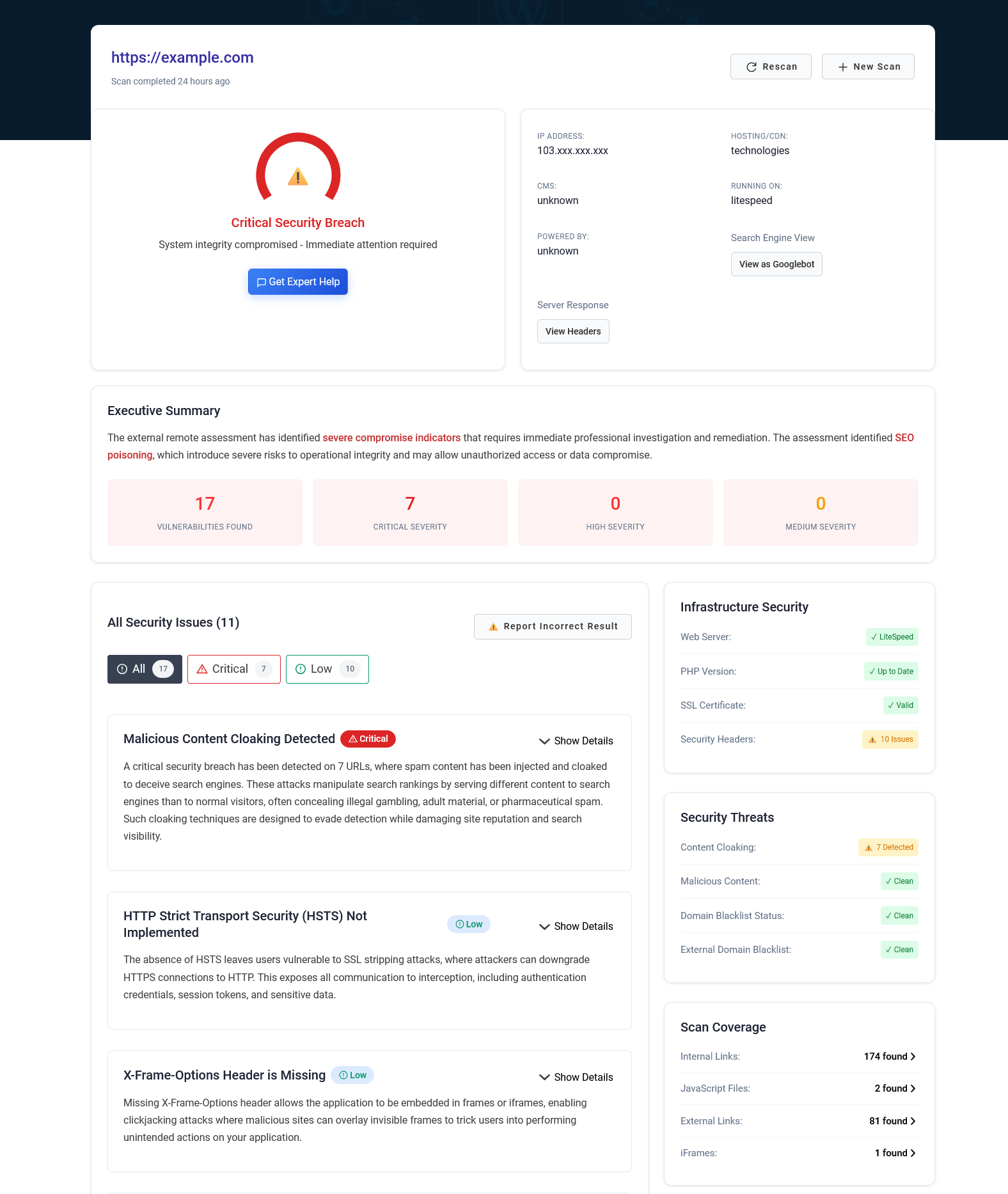
Securewp Remote Security Scanner is built for WordPress site owners who need a fast external security check without installing a plugin or creating an account.
It scans a website from the outside, similar to how attackers, search engines, and visitors see it. This makes it useful for catching public-facing issues such as SEO spam, Japanese keyword hacks, suspicious redirects, exposed files, vulnerable components, blacklist status, SSL issues, and missing security headers.
Best for
- WordPress site owners who want a quick external security report
- Checking visible malware, SEO spam, redirects, and blacklist status
- Finding exposed files and common public-facing risks
- Checking whether visitors or search engines may see something suspicious
- Running a first check before deeper WordPress malware scanning
Useful checks
- Visible malware, defacement, SEO spam, and suspicious redirect indicators
- WordPress core, plugin, and theme vulnerability checks where detectable
- Domain blacklist status
- External link reputation checks
- Hidden or harmful link detection
- Server exposure, directory listing, SSL, and security header checks
- Hosting reputation and geolocation information
- Login exposure, brute-force risk, and username enumeration checks
Limitations
- It cannot fully inspect private server files or database content from outside.
- It should be paired with an inside-WordPress scanner for full malware cleanup.
- Some cloaked malware may require repeated testing from different browsers, devices, or locations.
2. Sucuri SiteCheck
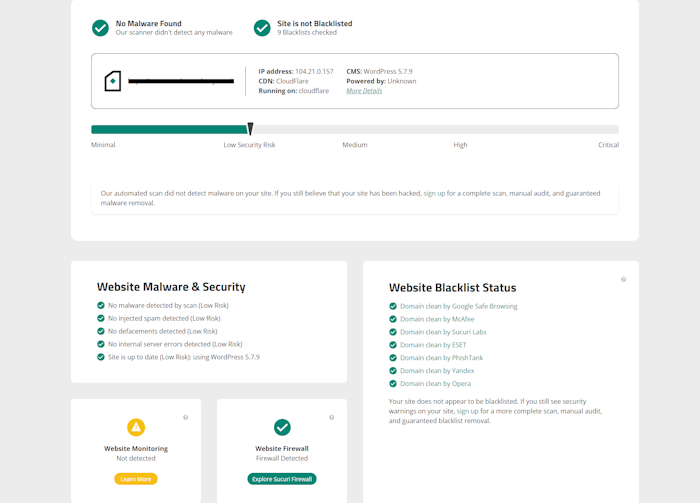
Sucuri SiteCheck is one of the most widely known free website security scanners.
It is not limited to WordPress and can scan many types of websites for public-facing malware and reputation issues. It is especially useful when you want a quick check for visible malware, SEO spam, blacklist warnings, and malicious code visible from outside.
Best for
- Fast public malware checks
- Blacklist and reputation checks
- Checking visible spam, defacement, or suspicious code
- Scanning non-WordPress websites as well as WordPress sites
Useful checks
- Visible malware and malicious code
- SEO spam indicators
- Blacklist status
- Defacement indicators
- Website errors visible from outside
- Some software and configuration signals
Limitations
- It is not a full file-level WordPress malware scanner.
- It cannot inspect private server files or database content from outside.
- It is less focused on WordPress-specific hardening, login exposure, and plugin/theme vulnerability context than dedicated WordPress tools.
3. Pentest-Tools.com WordPress Scanner
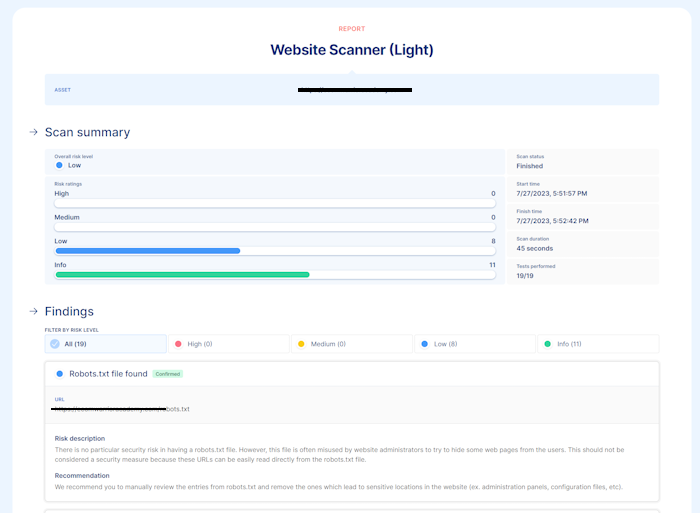
Pentest-Tools.com WordPress Scanner is more focused on vulnerability discovery than visible malware detection.
It is a better fit for technical users, developers, and security teams who want structured WordPress vulnerability findings rather than a general hacked-site scan.
Best for
- Security teams and developers doing vulnerability assessment
- Checking known WordPress, plugin, and theme vulnerabilities
- WordPress penetration testing workflows
- Technical users who need structured vulnerability findings
Useful checks
- WordPress core vulnerability detection
- Plugin vulnerability detection
- Theme vulnerability detection
- Configuration issues
- User enumeration and XML-RPC checks depending on scan level
- Backup and database export exposure checks depending on plan
Limitations
- It is more vulnerability-focused than malware-focused.
- It may not be the best first tool for detecting SEO spam, defacement, or cloaked redirects.
- Some useful scan depth may require a paid plan.
4. HackerTarget WordPress Security Scan
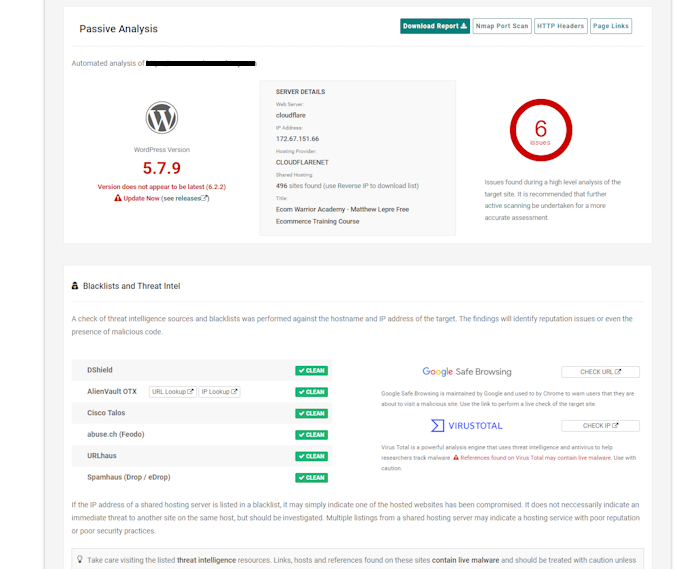
HackerTarget WordPress Security Scan is a long-running external scanner for WordPress reconnaissance and security checks.
It is useful for quick visibility into publicly detectable WordPress details, plugin exposure, hosting signals, and basic configuration issues.
Best for
- Quick WordPress reconnaissance
- Checking visible WordPress version and plugin exposure
- Basic external security assessment
- Technical users who want simple public scan results
Useful checks
- WordPress version detection
- Plugin detection where visible
- Hosting and web server signals
- Basic application security checks
- Reputation and external link checks depending on scan output
Limitations
- It is not a complete malware cleanup tool.
- It may not detect cloaked SEO spam or hidden redirects in every case.
- It cannot inspect private WordPress files or database content.
5. WPSec and WPScan-Based Vulnerability Checking
For WordPress-specific vulnerability monitoring, WPScan-based tools are useful because they focus on known vulnerabilities in WordPress core, plugins, and themes.
This category is best for vulnerability monitoring rather than malware detection. It helps you identify known vulnerabilities in WordPress core, plugins, and themes, but it should not be treated as a full hacked-site scanner.
Best for
- Monitoring known WordPress vulnerabilities
- Checking whether installed plugins or themes have public CVEs
- Scheduled vulnerability reports
- Developers and agencies managing multiple WordPress sites
Useful checks
- WordPress core vulnerabilities
- Plugin vulnerabilities
- Theme vulnerabilities
- Basic WordPress security checks
- Email or dashboard alerts depending on service
Limitations
- Vulnerability detection is not the same as malware detection.
- It may not detect active SEO spam, redirects, or defacement unless those are visible through the scan.
- It should be combined with malware scanning and hardening.
Quick Comparison Table
| Scanner | Malware/Spam Checks | Vulnerability Checks | Blacklist Checks | Best For |
|---|---|---|---|---|
| Securewp Remote Security Scanner | Yes: visible malware indicators, SEO spam, redirects, defacement, harmful links | Yes: WordPress core, plugin, and theme checks where detectable | Yes | Quick WordPress external security checks |
| Sucuri SiteCheck | Yes: visible malware, SEO spam, defacement, malicious code | Limited WordPress-specific context | Yes | General website malware and reputation checks |
| Pentest-Tools WordPress Scanner | Limited | Yes: strong WordPress vulnerability focus | Not the main focus | Technical WordPress vulnerability assessment |
| HackerTarget WordPress Security Scan | Limited | Basic external WordPress and plugin exposure checks | Some reputation/external link checks depending on report | Quick reconnaissance and basic WordPress checks |
| WPSec / WPScan-Based Tools | Limited | Yes: known core, plugin, and theme vulnerabilities | Not the main focus | Known vulnerability monitoring |
How to Choose the Right WordPress Security Scanner
Choose based on what you are trying to find.
If you suspect malware, redirects, or SEO spam
Start with a remote scanner that checks the public-facing site. Use the Securewp Remote Security Scanner or Sucuri SiteCheck to see what visitors and search engines may see.
If you suspect a vulnerable plugin or theme
Use a WordPress vulnerability scanner such as Pentest-Tools, WPSec, WPScan-based tools, or vulnerability alerts inside your WordPress security plugin.
If you need ongoing WordPress protection
Use a plugin inside WordPress. Remote scanners are useful, but they do not replace ongoing file scanning, hardening, login protection, firewall rules, audit logs, and vulnerability monitoring.
For this layer, SiteFort Security Plugin can help with malware scanning, firewall protection, bot blocking, login security, 2FA, vulnerability alerts, hardening, audit logs, and Cloudflare Sync.
If you manage client websites
Use both remote and internal scanning. Remote scans help catch public-facing issues. Internal scans help detect file changes, malware, vulnerabilities, and suspicious activity inside WordPress.
Recommended WordPress Security Scan Workflow
A practical workflow looks like this:
- Run an external scan. Use a remote scanner to check malware indicators, redirects, blacklist status, exposed files, SSL, headers, and visible vulnerabilities.
- Scan inside WordPress. Use an inside-WordPress scanner to check files, vulnerabilities, suspicious redirects, backdoors, exposed sensitive files, and security logs.
- Patch vulnerable components. Update WordPress core, plugins, and themes. Remove abandoned or unused software.
- Harden the site. Disable file editing, block PHP execution in uploads where possible, restrict XML-RPC if unused, protect sensitive files, and reduce user enumeration.
- Protect logins. Enable 2FA, CAPTCHA, brute-force protection, safer login responses, and weak or breached password checks.
- Use a firewall. Block bad bots, suspicious requests, repeated 404 probes, and abusive IPs. Sync selected blocks to Cloudflare if available.
- Monitor regularly. Repeat scans and review audit logs after plugin updates, traffic spikes, Search Console warnings, or hosting alerts.
A First Line of Visibility, Not the Whole Stack
Online WordPress security scanners are a useful first line of visibility. They help you see what attackers, search engines, and visitors may see from outside your site.
But a remote scanner is not the whole security stack. It cannot fully inspect private files, database content, hidden backdoors, cron jobs, compromised accounts, or hosting-level issues.
For more complete coverage, use both views: run the Securewp Remote Security Scanner for external checks, and use SiteFort inside WordPress for malware scanning, vulnerability alerts, hardening, firewall rules, login protection, audit logs, and Cloudflare Sync.
That combination gives you a more complete picture: what the outside world can see, and what is actually happening inside WordPress.